What's New in Blackboard Ultra?

What鈥檚 New in Blackboard Ultra: August Updates

Explore the latest changes to Blackboard Ultra, including updates to navigation, course content, the Gradebook, student planning tools, the text editor, and duplicating content within a course.

August Update Overview

Blackboard Ultra continues to introduce improvements designed to simplify course navigation, increase visible workspace, and make common course tasks easier for instructors and students.

Watch the overview video or use the menu to explore each update. Each section includes space for a larger image, a written description, and a short video demonstration.

Watch the August Update Video

Having trouble viewing the video?

.

Explore the August Changes
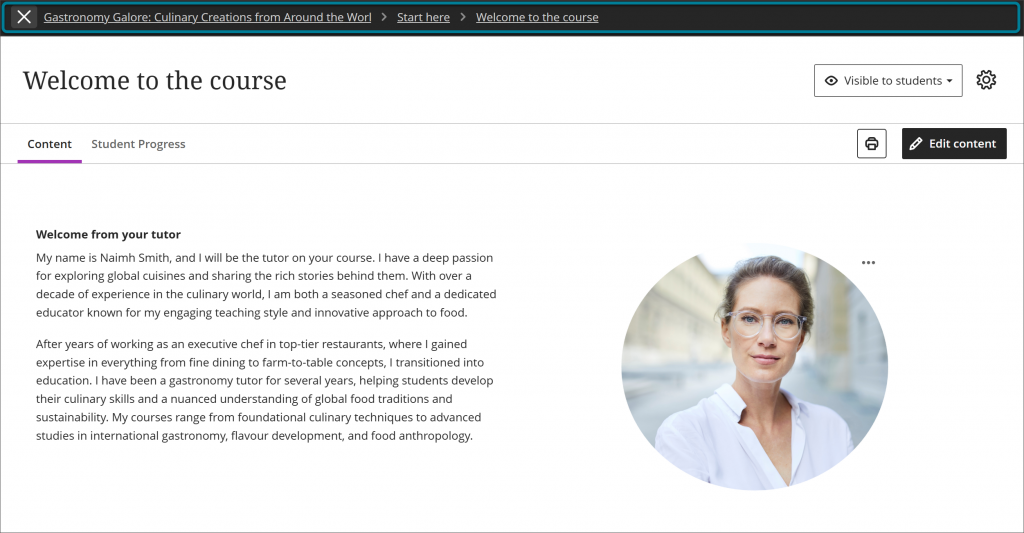
Blackboard Ultra full-screen view feature

Course Display

Full-Screen View

Instructors and students can use an expanded full-screen view in supported areas of Blackboard Ultra. This provides more room to view and work with course content while reducing distractions from surrounding navigation elements.

Updated Blackboard Ultra Gradebook

Grading

Gradebook Changes

Updates to the Gradebook improve how instructors view, organize, and manage student grades. Faculty may notice changes to the Gradebook layout, available controls, or the steps used to access grading information.

Student To-Do List in Blackboard Ultra

Student Experience

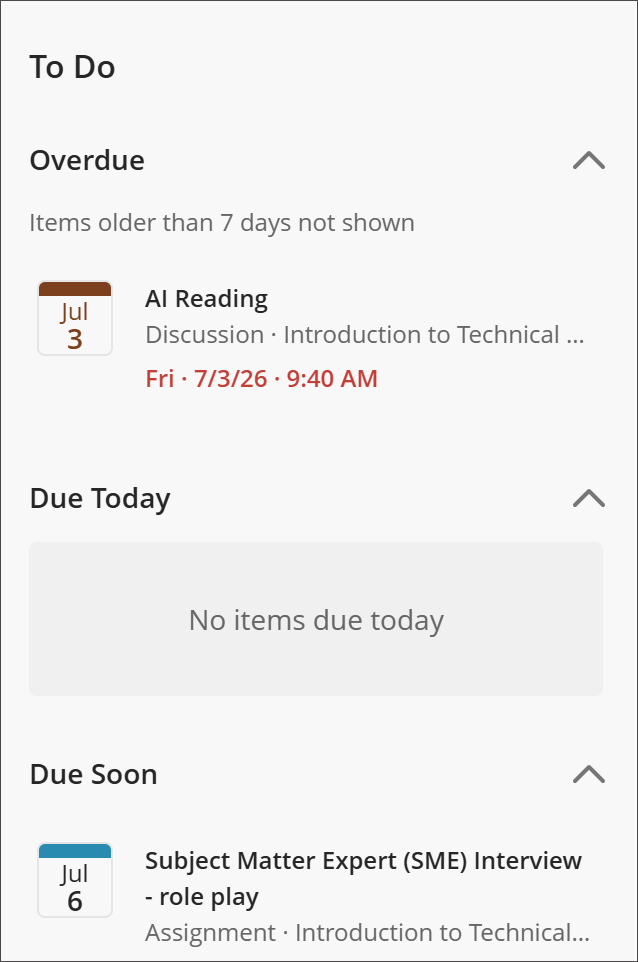
Student To-Do List

The updated student To-Do List gives students a clearer view of upcoming assignments, assessments, and other course requirements. This can help students identify priorities, track due dates, and manage their coursework.

Updated text editor controls in Blackboard Ultra

Content Creation

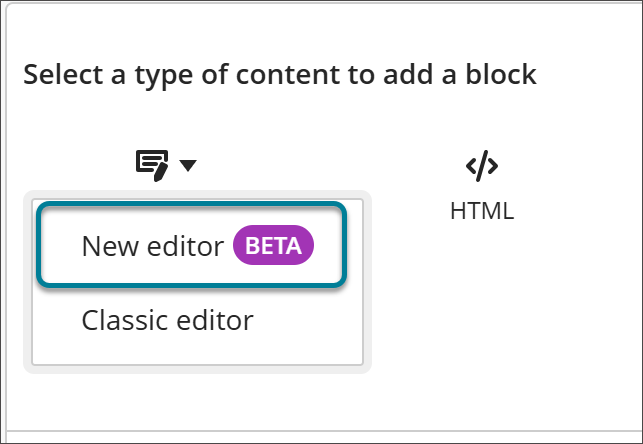
Updated Text Editor

The updated text editor provides a revised interface for creating and formatting content in Blackboard Ultra. Instructors and students may notice changes to the appearance or location of formatting, media, and link controls.

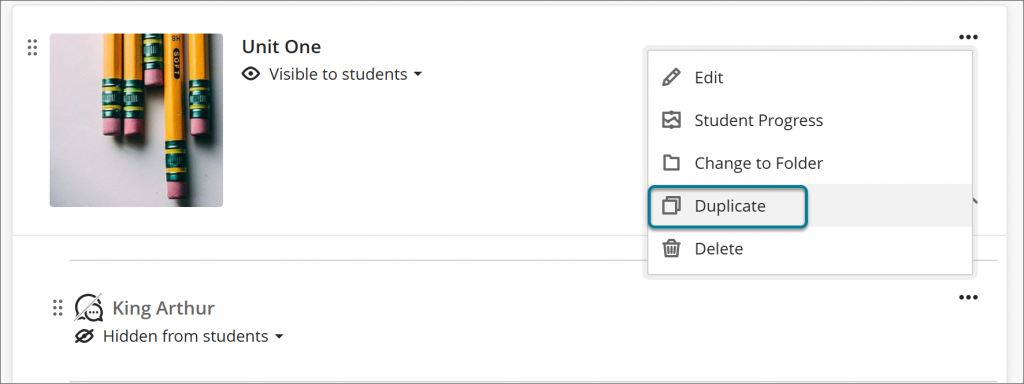
Image showing where you would click to get the duplicate option

Course Building

Duplicating Content in a Course

Instructors can duplicate supported content within a Blackboard Ultra course, making it easier to reuse course materials without rebuilding them from the beginning. After duplicating an item, review its title, availability, dates, links, and settings to ensure the copied version is ready for students.

Updated Gradebook Resources (Applicable to Gradebook Starting August 7th)

Mercy Online is available to help faculty understand and use the updated Blackboard Gradebook. Faculty can review additional resources, attend a training session, or contact Mercy Online for assistance. These resources are only meant to be used after the August 7th changes, but you can preview them before then.

Gradebook Instructional PDFs and Videos

What's New in Blackboard - August Webinars

Mercy Online is available to help faculty understand and apply the new features coming to Blackboard in August. Faculty can attend a What's New in Blackboard Webinar.